
Schedule Meetings Directly Inside Gmail
Say goodbye to endless email ping-pong. Pick candidate times and embed interactive group availability voting cards straight into your Gmail drafts in seconds.
Tired of Scheduling Email Threads?
Traditional email scheduling wastes hours. MeetingPoll delivers instant group consensus directly inside Gmail.
Fragmented Email Chains
- Typing candidate dates and times manually into every reply.
- Conflicting availability responses scattered across message threads.
- Manual timezone calculations leading to accidental double bookings.
Interactive In-Email Voting Table
- Click the MeetingPoll icon right in your Gmail compose toolbar.
- Subject line and recipient addresses autofill automatically.
- Recipients cast votes in 1 click with zero app installs or signups.
How It Works in 3 Simple Steps
Organize your next group call directly from your Gmail compose window.
Launch in Gmail Compose
Click the teal MeetingPoll button in your Gmail compose toolbar right next to the Send button.
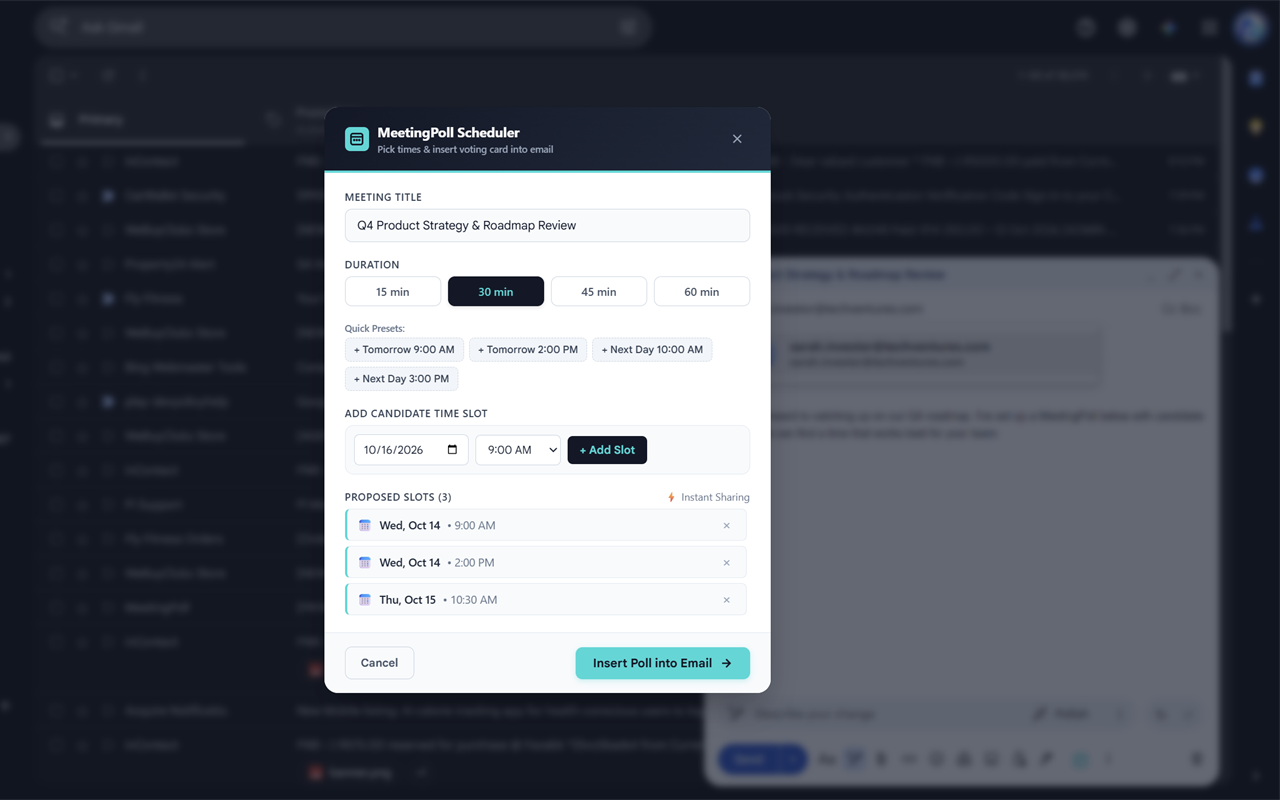
Select Proposed Times
Set duration and add candidate time slots with 1-click morning/afternoon presets or exact dates.
Embed & Hit Send
Inject a formatted availability voting table into your email draft. Recipients vote in 1 click.
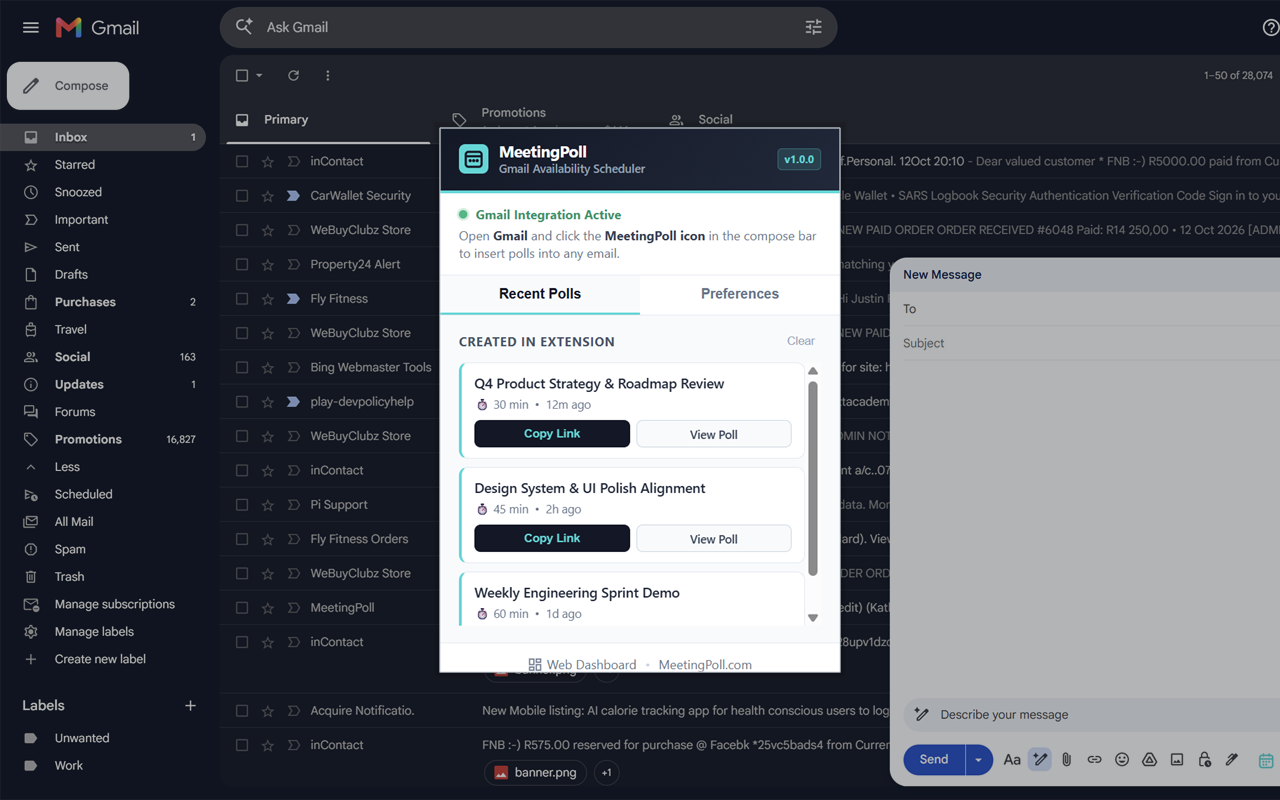
Instant Access to Your Active Polls
Click the MeetingPoll browser icon anytime to review recent polls, copy voting links, and manage your scheduling settings without opening new tabs.
Unlock Unlimited Gmail Scheduling
The extension is free to install. Connect your MeetingPoll Pro subscription for $4.99/month to unlock unlimited in-email embeds, custom branding, and automatic calendar dispatch.
Gmail Poll Embeds
Brand Logo & Colors
Auto-Finalize & .ICS Sync
Frequently Asked Questions
Everything you need to know about using MeetingPoll in Gmail.
How do I install and start using the extension?
Do my participants need the Chrome extension to vote?
Does MeetingPoll read my private Gmail messages or inbox?
How do I connect my MeetingPoll Pro subscription?
Does it work on Microsoft Edge or Brave?
Ready to Schedule 5x Faster in Gmail?
Install MeetingPoll from the Chrome Web Store and experience frictionless scheduling without ever leaving your inbox.
Add MeetingPoll to Chrome